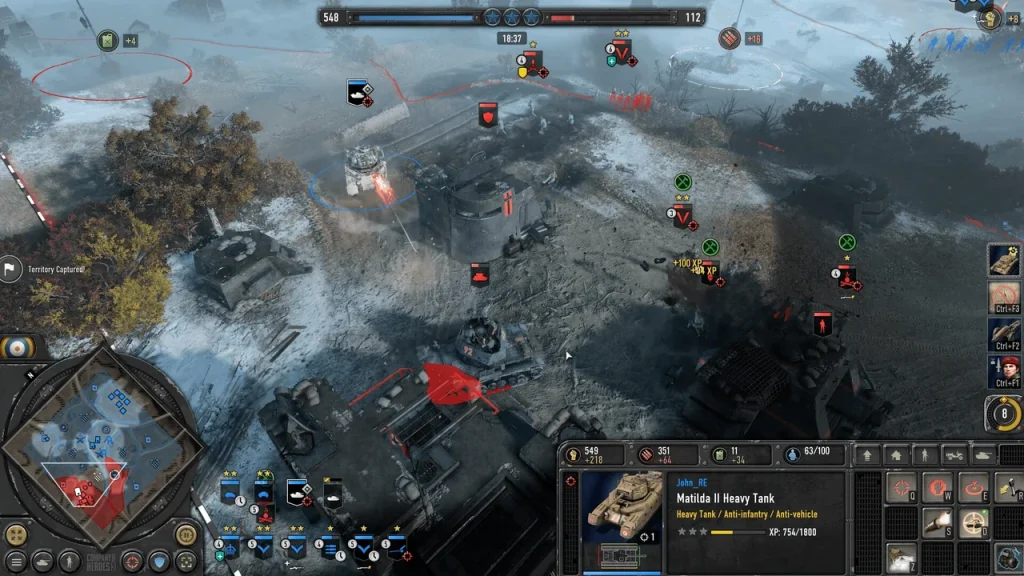
TL;DR: This Company of Heroes 3 British Forces build order teaches a standard production route: Section Command Post, two Infantry Sections, a Headquarters support choice, then Platoon Command Post and one deliberate unit purchase. Treat the Stuart unlock and later Company Command Post as separate decisions. Stop extending the list when recovery or another immediate game need takes priority.
Quick answer: British units come from different command posts, while the Training Center provides veterancy-related research. Completing Platoon Command Post does not automatically complete the named Stuart unlock. Read the structure, research and unit menus separately so each resource purchase has a clear result.

This is a practice opening for standard AI skirmish, rather than a timed competitive build or an account of our own matches. The building and unit names were checked in the British COH3 Stats overview, labeled game patch 3.0.0, alongside Relic’s official 3.0 notes. Use the installed game for the actual purchase costs and enabled options.
On this page
Company of Heroes 3 British Forces build order: seven learning steps
1. Construct the Section Command Post
Open the faction’s base construction controls and start the Section Command Post when its displayed requirements are met. Confirm its location and progress instead of repeatedly selecting a production icon in an unfinished structure.
While it is being built, inspect Headquarters. Its standard roster includes Royal Engineers and the Vickers machine gun team. Those Headquarters options will remain distinct from the Infantry Sections produced by the new command post.
The British unit directory identifies Royal Engineers as repair and defense-building support. Notice which of your existing units performs that support role. Another Engineer purchase is a deliberate roster decision, not an automatic substitute for a different production building.
2. Queue the first Infantry Section
Select the completed Section Command Post and purchase an Infantry Section. Check the queue entry and wait for production completion. Then give the squad a nearby task that you can track while returning your attention to the base.
This step teaches the difference between owning a structure and owning its units. A command post that is finished but idle has not delivered the first squad simply because its icon exists on the map.
Use the Company of Heroes 3 beginner guide for the surrounding selection and map controls. The production exercise should stay small enough that you can notice an idle building without losing track of the unit it just produced.
3. Add a second Section or pause for recovery
Produce a second Infantry Section when resources and the current squad’s condition support it. The suggested count makes the exercise easy to follow; it does not claim that two Sections are optimal for every map, mode or opposing roster.
Before committing the purchase, inspect missing soldiers in the first squad and the resources already reserved by the queue. If recovery needs have increased, decide which expense comes first. Do not keep the original order unchanged while silently omitting its reinforcement costs.
After production, give both squads explicit assignments. If the first one was forgotten during the second purchase, another unit will make the management problem larger. Restore the habit of checking completed units before extending the queue again.
4. Inspect the Headquarters support option
Return to Headquarters and inspect the Vickers team purchase. For this practice sequence, add one if the available resources and intended in-game role justify it. This gives you experience producing a different unit type from a different structure.
Notice that the Vickers team does not come from the Section Command Post. If you keep selecting the command post while searching for that card, the roster mismatch explains the missing option. Switching to the correct building is the useful correction.
The step can be deferred when an immediate production need is more important. Record that decision rather than forcing the purchase to satisfy a list. The goal is understanding Headquarters production, not proving that every British opening must buy the same team.
5. Construct the Platoon Command Post
Open the next construction options and inspect Platoon Command Post. Confirm its requirements and costs after accounting for the units and recovery already purchased. Start construction when you can support the next stage without pretending the earlier expenses were free.
Its standard roster includes the 6-pounder team, Humber armored car and CMP 15cwt truck. These are different choices with different game roles. The full roster also lists options that need an additional named unlock, so the building’s completion is not the end of every dependency.
Once construction finishes, select the command post and inspect the actual unit cards. Choose the first purchase before adding another structure. A larger base is not a useful progression if you have spent the resources needed to produce anything from it.
6. Make one Platoon production choice
Select a unit for a need you can identify in the game. The Humber is an armored-car option, the 6-pounder provides a vehicle-focused team weapon role, and the CMP 15cwt is a support truck. The unit directory provides the role descriptions you should compare.
For a calm first drill, inspecting and producing the Humber is one possible continuation. When the visible role gap is a vehicle-response option, inspect the 6-pounder instead. Do not treat a support truck as interchangeable with either simply because all three cards share a command post.
Confirm the purchase in the correct queue, then check its completion and arrival. Record the selected role and cost. The record lets you compare later practice attempts without claiming that one completed production entry proves a universally better opening.
7. Decide whether the Stuart unlock is the next investment
Select Platoon Command Post and inspect Unlock M3 Stuart Light Tanks. The checked building data identifies this as the named research prerequisite for the Stuart production option. Buying the command post alone does not complete that research.
If you choose this continuation, finish the unlock, inspect the changed unit card and then make the separate Stuart purchase. Keep enough resources in the plan for both stages. Starting research does not mean the tank has joined the production queue.
You can also end the exercise with the previous Platoon purchase and defer the unlock. The decision should follow the role you need and the current resource position. Researching every available option simply because it is clickable makes the queue harder to understand.
Keep Training Center research separate from production
The Training Center is not another command post supplying a replacement for the unit you meant to produce. Its menu contains categories such as Infantry Training, Light Vehicle Training, Armored Vehicle Training and Team Weapon Training.
The checked descriptions provide veterancy-related improvements for the relevant categories. Match a research purchase to the units you actually own or plan to use. Light Vehicle Training and Armored Vehicle Training should not be grouped together just because both names contain vehicle.
If the Stuart card is still locked, purchasing a training category does not replace the named Stuart unlock in Platoon Command Post. Read the requirement on the unit, then follow that dependency rather than clicking a different research menu to see whether the icon changes.
For the first exercise, keep training research to a deliberate choice you can explain. A modest roster with one understood improvement is easier to review than several research purchases whose effects you cannot connect to the selected units.

Review Section upgrades without losing the next purchase
The Section Command Post includes Grenade Package research for Infantry Sections. Select that structure when inspecting the global unlock, then check the individual squad’s available options afterward. Keep the distinction between a global research purchase and any further squad-specific choice visible.
Read which resource pays for each action. Manpower, fuel and munitions do different jobs in the game, and having a large amount of one does not make a purchase funded by another resource available.
Before buying several Section improvements, look at the next command post and the current recovery bill. A useful research option can still be mistimed if it leaves the planned production stage unable to start. The exercise should help you see this tradeoff without inventing a single research order that always wins.
Understand the Company Command Post continuation
Company Command Post is the later production stage, with standard options including Foot Guards, Crusader and Matilda. The checked roster also names additional production choices behind their own unlocks, including the M3 Grant and towed 17-pounder.
Use the same dependency habit learned at Platoon Command Post. Identify the desired unit, inspect its requirement, research the named option when appropriate and then buy the unit separately. Do not assume that every card in the complete roster is immediately available after construction.
Relic’s 3.0 notes change vehicle build pacing and some resource rules. They also place a technology requirement on resource caches, with Platoon Command listed for the British route. That means an older opening telling you to place an immediate cache should be checked against the current construction requirement.
This practice guide does not promise a Matilda or Grant at a fixed minute. The meaningful milestones are available technology, completed construction and a funded production queue. Use those milestones when deciding whether to extend the opening.
Decision exercise: a completed command post with no Stuart
Imagine Platoon Command Post is complete and you have saved for a light tank, but the Stuart icon remains unavailable. You have also purchased a training improvement and assume that it should have completed the vehicle requirement.
Read the locked unit card first. The named Stuart unlock belongs to Platoon Command Post, while the Training Center purchase changes a different part of the roster’s development. Identify the missing dependency before spending additional resources.
Next, compare the full remaining cost with the role you need now. The plan still includes research and unit production, while an already available option may address the immediate game problem. The exercise does not insist that you finish the tank path to justify the earlier building.
If you continue, select the named unlock, verify completion and then queue the Stuart from the correct command post. Observe the purchase all the way to arrival. A research progress bar finishing is not evidence that you started unit production.
Afterward, record whether the delay came from a misunderstood menu or a genuine resource shortage. That distinction tells you what to improve. More rapid clicking would not have made a training category perform the missing unlock’s function.

Troubleshoot the British production menus
The Vickers card is missing. Check Headquarters rather than Section Command Post. A unit being absent from one roster does not mean it is unavailable everywhere in the faction.
The Stuart remains locked after building Platoon Command Post. Inspect the named Unlock M3 Stuart Light Tanks research. Construction and unlock completion are separate checks.
A vehicle is unlocked but has not appeared. Look for its production queue entry, available resources, population room and completion state. An enabled icon still requires a deliberate purchase.
Training consumes the resources planned for another stage. Identify which category you bought and which owned units it affects. Compare that result with the construction or production you delayed before buying another category.
Recovery costs keep disrupting the sequence. Review actual reinforcement and health-restoration needs. The retreat timing guide can help connect unit preservation with the resources available for the next menu action.

Frequently asked questions
Is this a fixed competitive British opening?
No. It is a source-checked practice route for standard production menus, with conditional purchases and no claimed win rate or optimized timing.
Does the Training Center unlock every vehicle?
No. Read each unit’s named requirement. Training categories and production unlocks perform different functions.
Do I need the Stuart every match?
No. It is an optional continuation used to teach a two-stage unlock and purchase. Other available roles may matter more in the actual game.
What should I practice after this route?
Follow one unavailable unit card back to its correct prerequisite and finish the resulting production chain. Use the Company of Heroes 3 hub to choose the supporting resource or beginner guide.
Sources and further reading
Keep exploring

Games Like Company of Heroes 3: three different tactical choices
Choose COH2 for familiar squad tactics, Gates of Hell for direct unit control, or Steel Division 2 for division decks and Army General.
Company of Heroes 3 Mortar Tactics: 7 Practical Decisions
Use mortar fire to change a defended position, choose damage or smoke by the task, and move the supported army while the opportunity exists.
Company of Heroes 3 Battlegroup Selection: 7 Useful Decisions
Choose a battlegroup to supply a specific capability, then match its unlock path and spending to the battlefield problem you observed.