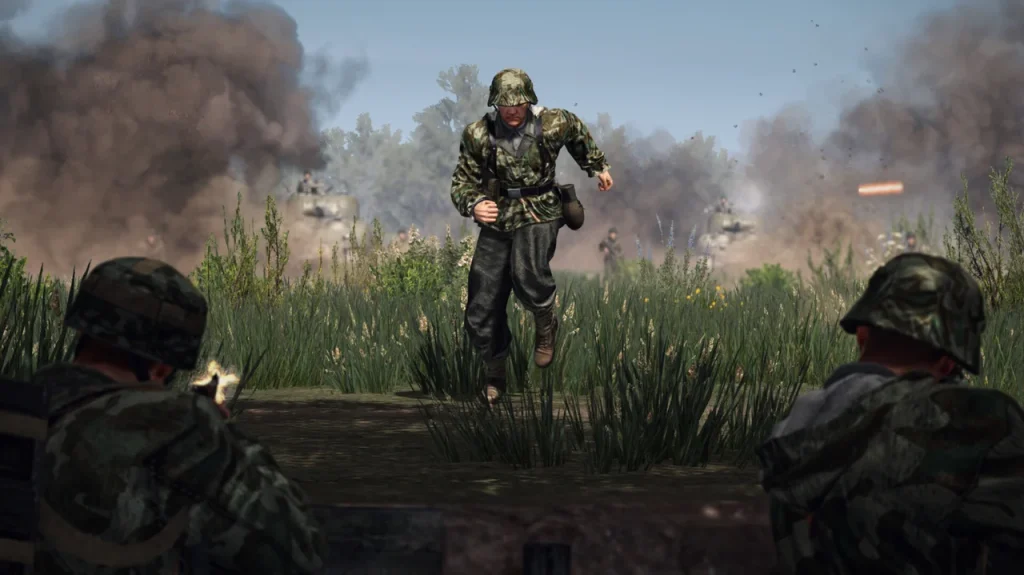
TL;DR: Gates of Hell Ostfront co op setup has different entry paths for Conquest and a hosted scripted battle. In Conquest, switch the session from Singleplayer to cooperative; for a mission, use multiplayer hosting and choose Cooperative. Check the mission, slots, password, content and participant readiness before starting.
Choose the session type first. A friend looking for a multiplayer skirmish lobby will not find the right activity if you are still arranging a singleplayer Conquest army with no cooperative session exposed.

These menu paths come from the official September 2022 Field Manual for Call to Arms – Gates of Hell: Ostfront. Current labels, supported content and lobby behavior can change. This guide gives no universal player count or host-only DLC entitlement rule.
On this page
Gates of Hell Ostfront co op setup: choose the session
Use Conquest when you want to research, recruit and retain an army across a dynamic campaign. Use a cooperative scripted mission or skirmish when you want to play a particular designed battle and its objectives.
The manual says skirmishes run through the multiplayer engine even when played alone. Their maximum player count varies by mission, so inspect the selected mission rather than assuming every activity permits the same number of participants.
The current store confirms cooperative Conquest and cooperative historical missions. It does not make every lobby setting identical across those modes. Begin with the activity your group actually intends to play.
Create a cooperative Conquest lobby
Open the Conquest planning session. The manual describes clicking the Singleplayer label to change to cooperative mode, after which other players can find the lobby in the multiplayer list.
Confirm the campaign and army before launch. Check who will handle each group and whether the available stages contain the intended units. A cooperative session still needs research, recruitment and deployment planning.
The documented start sequence is Select Campaign, confirm the choice and then Start. Inspect the battle location and the attack or defense indication before committing, so participants understand the first task.
Do not rush the launch while another participant is still looking for the session. Confirm the lobby and participants in the current interface. Cooperative mode being selected is one step; an assembled group ready for the same battle is another.
Host a cooperative mission
Open Multiplayer and use the hosting option. The manual’s hosting screen offers Battle Zone, Domination and Cooperative. Choose the cooperative activity, then select the actual map or mission and supported player count.
Set a password when you want the session restricted to your intended group, then create the lobby. Read the selected mission and slots once more before starting; a familiar map name does not prove every setting matches the previous session.
Participants can use the multiplayer lobby list and double-click the intended entry in the documented interface. If the lobby is not visible, check the session type and browser filters before changing the game setup at random.
A scripted skirmish has its own objectives and ends when those objectives are completed or the force is defeated, according to the manual. Read that task with the group rather than importing a competitive mode’s scoring assumptions.

Manage slots and check the shared setup
Right-click a lobby slot to inspect its management actions. The manual describes options including AI and reserved slots. A reserved slot is available to anyone on the host’s Steam friends list, not a promise that only one named friend can enter it.
Check the actual slot assignments and teams for the intended activity. A group can be present in a lobby while an unwanted AI or misplaced player occupies the slot expected for cooperation.
Compare game version, active mods and the selected mission’s requirements when joining or starting fails. The manual warns that updates and added mods can affect saves and records version and mod information in the load screen’s Game Info.
Check content availability in the current lobby or mission prompt. Do not assume every DLC mission follows a universal ownership rule or that historical installation instructions establish today’s purchase dependency.
Assign units and battlefield tasks
Agree on simple jobs before the first movement: who observes the approach, who supports the main infantry and who handles vehicles or recovery. This is recommended coordination, not an additional game rule.
The manual describes the multiplayer Exchange Menu as a way to hand units to other players. Use the current exchange window and confirm the recipient and unit after a transfer. Giving units away changes who should issue their orders.
Avoid duplicating attention on the same task while another approach remains uncovered. For a hypothetical attack, one player can establish the infantry position while another brings supporting fire once the route is understood.
When using Direct Control, keep the broader force assigned useful tasks. One player concentrating on a precise shot does not mean other units automatically reorganize around that action.
Troubleshoot visibility and start failures
For a missing Conquest lobby, confirm cooperative mode, the correct session and browser filters. For a hosted mission, confirm creation, password and actual participant slots. Refresh the list when appropriate instead of repeatedly recreating an unchanged setup.
For a start failure, read the current prompt and compare mission requirements, versions and active mods. Keep a separate unmodded session as a practical diagnostic when a new mod is the likely change.
Verify pause behavior too. The manual says Conquest and multiplayer use the Pause key rather than relying on the Escape menu. Confirm the current session’s behavior before assuming the battle has stopped while discussing a plan.
The published Company of Heroes 3 versus Gates of Hell comparison provides broader context. Before launch, confirm one session, the intended participants, supported mission size and each player’s opening job.
FAQ
Can Conquest be played cooperatively?
Yes. The manual describes switching the Conquest setup from Singleplayer to cooperative, and the current store confirms cooperative Conquest.
Does every mission support four players?
No universal count is asserted here. The manual says the maximum varies per scripted mission.
Does a reserved slot belong only to one friend?
The manual says a reserved slot is available to anyone on your Steam friends list. Check the actual participant before starting.
Can I transfer units to another player?
The documented multiplayer Exchange Menu supports handing units to other players. Confirm the transfer and recipient in the current interface.
Sources and further reading
Keep exploring
Gates of Hell Ostfront vs Ultimate General Civil War: which army campaign?
Choose Ostfront for a researched WWII force and direct control; choose Ultimate General: Civil War for brigade command and a campaign shaped by surviving soldiers and officers.
Gates of Hell Ostfront vs Steel Division 2: Conquest or Army General?
Pick Ostfront for researching and developing a Conquest army with switchable unit control; pick Steel Division 2 for battalion-map planning and battlegroup decks.
Men of War Assault Squad 2 vs Gates of Hell Ostfront: missions or Conquest?
Men of War Assault Squad 2 vs Gates of Hell Ostfront: compare varied skirmish missions, direct-control views and Conquest army development.