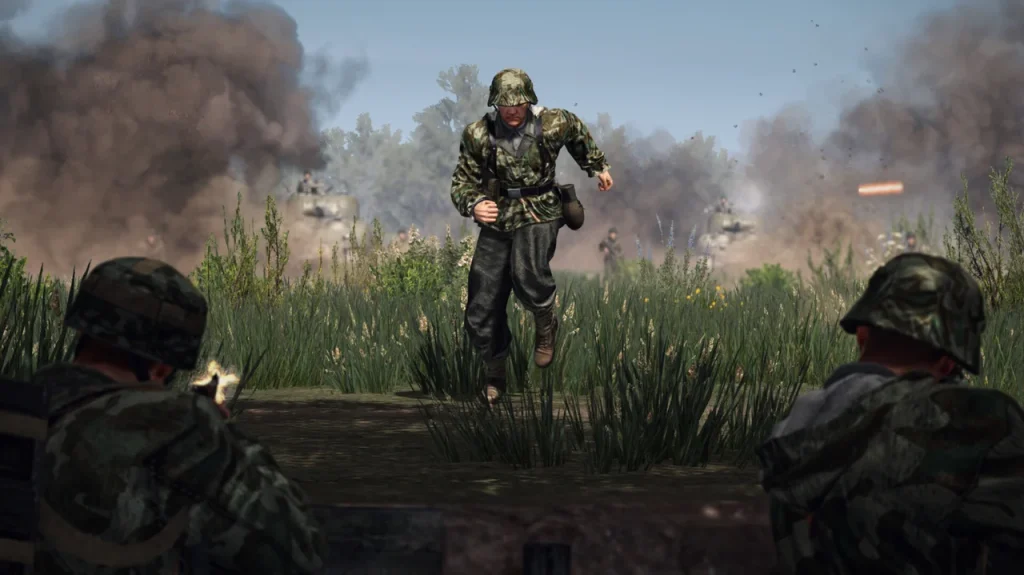
TL;DR: Gates of Hell Ostfront Dynamic Conquest resupply starts in the reserves screen after each battle. Inspect the returning army, choose whole-army or selected-unit resupply deliberately, and verify ammunition and replaced soldiers before arranging the next call-in stages. During battle, check inventories and available resupply actions instead of assuming every weapon refills automatically.
Readiness has several parts. A squad can still exist while missing members; a tank can carry ammunition while having a damaged component; a captured gun can be yours while lacking the supplies needed for another engagement.

The workflow below follows the official September 2022 Field Manual for Call to Arms – Gates of Hell: Ostfront. Current values and unit options can differ with updates or mods. It gives no universal supply radius, ammunition-point price or refill time.
On this page
Gates of Hell Ostfront Dynamic Conquest resupply: inspect reserves
Return to reserves and examine what survived before recruiting another unit. The manual describes the reserves window as the list of your units, with ammunition points and the active army’s CP limit shown at its top right.
Make a short recovery list: depleted weapons, squads missing soldiers, damaged equipment and newly captured items. This list separates immediate readiness work from the optional purchases you might want after a successful battle.
Do not use a familiar portrait as proof the unit is fully restored. Select it and read the available information. The planning screen offers a resupply action because survival and readiness are different states.
A useful first pass checks the units you intend to call in earliest. Then inspect the rest of the owned army. A later wave still needs supplies when it arrives, and a reserve outside the current stages may become useful after the next research or organization change.
Separate ammunition, casualties, fuel and damage
Identify the actual shortage before choosing an action. The manual explicitly describes Conquest resupply as replenishing ammunition and replacing killed soldiers. Its vehicle display separately shows component condition and fuel state.
| Observed problem | First check | Wrong assumption |
|---|---|---|
| A squad has fewer members | Casualties and the selected resupply option | The surviving portrait means full strength |
| A weapon will not fire | Selected weapon, reload and compatible ammunition | Any ammunition item can feed any weapon |
| A vehicle cannot move normally | Crew, components, fuel and terrain | More shells will solve the movement problem |
| A captured gun is unusable | Ownership, crew, condition and ammunition | Capture automatically makes it battle-ready |
Do not promise that one resupply button resolves every vehicle problem. Inspect the result in the current interface and check remaining damage or fuel separately. The historical manual’s broad resupply wording does not establish a universal current fuel-and-repair rule.
This distinction also improves purchasing decisions. A depleted but otherwise useful unit may need supplies; a repeatedly misplaced unit may need a tactical change. Neither situation automatically calls for replacing it with a more expensive portrait.
Use selected-unit or whole-army resupply
The documented reserves interface has two scopes. The bottom-right action resupplies all units’ ammunition and replaces killed soldiers. A separate action on the left resupplies only the selected unit; dismissing or selling is another option there.
Choose the intended scope before clicking. Use selected-unit resupply when you want to restore a specific piece of equipment and observe the result. Use the whole-army option when you intend to restore the complete force and have checked the available budget.
Watch the displayed resource state and confirm the unit’s information afterward. An attempted action is not the same as a completed restoration. If something remains missing, inspect the current prompt and unit condition before repeating the click.
Keep dismissal separate from resupply. A damaged or depleted unit you want to retain should not be removed simply because several actions share a nearby part of the screen. Read the selected action and confirmation carefully.
For a hypothetical army with one exhausted support weapon and several lightly used squads, restoring the gun first can make the immediate requirement clearer. For an army with widespread casualties, whole-army restoration may be the more direct scope. The appropriate choice depends on the actual condition and cost displayed.
Check every stage before starting the battle
Once the intended units are restored, arrange call-in stages. The manual says each stage has its own current CP and limit, and additional stages come from research. Resupply does not itself decide the stage where a unit will arrive.
Confirm that the early force can perform its opening job with the equipment it carries. Infantry tasked with protecting a gun needs enough usable weapons to hold nearby ground; the gun needs ammunition suited to its intended target.
Then check the later stages and remaining reserves. A vehicle waiting in a later wave can be overlooked during a quick postbattle check, especially if the first infantry group appears healthy.
Read the next battle’s attack or defense indication before starting. An ammunition plan for a short move toward one point may differ from a defense where several support positions must remain useful over repeated engagements.

Manage ammunition during the battle
Inspect the actual inventory when ammunition becomes a concern. The default I key opens the selected inventory, while X examines another object or inventory. Start by identifying the chosen soldier, vehicle or weapon so you do not read the wrong supplies.
Check the selected weapon and ammunition type. The Direct Control display identifies the active weapon, ammunition and reload progress. The default Space key changes the main gun’s ammunition where that option is available; it does not create shells that the vehicle does not carry.
Use fire for a target that matters. As a tactical recommendation, avoid leaving a support weapon shooting at ground with no clear purpose while assuming the next important target can wait. A large inventory can still be exhausted by repeated low-value firing.
When transferring items, verify the destination inventory and compatible ammunition rather than counting all ammunition together. A nearby pile of supplies can be irrelevant to the selected weapon. Learn the exchange interface in a quiet position before depending on it under fire.
If a unit stopped shooting, inspect ammunition, reload and line of fire separately. In first person, the manual’s red aiming feedback can mean obstruction or range. An empty weapon is only one possible explanation for a failed shot.
Diagnose automatic resupply without assuming a fixed rule
The special-options menu includes an enable-or-disable automatic resupply action for relevant units. The manual states that menu options depend on the selection. Check the actual unit and toggle before treating a missing supply action as an error.
A toggle describes an available behavior; it does not prove the unit currently has access to every required item. Inspect what it carries, what it needs and the supplies available in the current situation. Do not infer a universal range or refill rate from the presence of the command.
Check one weapon after changing the setting. Observe whether the intended shortage is resolved, then return to the wider battlefield. This is a practical diagnostic step rather than a claim that the same setting works identically for all squads, trucks and emplacements.
Keep the supply position reasonably protected. Moving a support unit into enemy fire to restore another weapon can sacrifice both. Establish a workable route and covering force before turning a supply problem into a recovery problem.
Recover captured equipment deliberately
Conquest carries captured enemy equipment forward when it belongs to you at battle end. That makes a usable gun or vehicle valuable, but ownership alone does not settle its readiness.
Check condition, crew, ammunition and fuel where relevant. A vehicle with a damaged component needs a different response from an intact vehicle carrying no usable rounds. Inspect before assigning several soldiers to operate equipment that cannot contribute.
Do not assume captured ammunition matches the rest of your army. Verify each weapon’s required items and keep its supply needs visible in the postbattle recovery list. A trophy that adds a special ammunition problem can be less convenient than another familiar support unit.
For a hypothetical retreating front, preserving the soldiers and equipment already covering your objective can be preferable to chasing an abandoned tank beyond secure ground. Capture is an opportunity, not a required source of replacements.
Plan recovery funds and troubleshoot failures
Leave flexibility for the army you intend to keep. Buying another unit while mentally reserving the same resources for restoration creates a budget that cannot support both actions. Read the current resupply cost or restriction rather than relying on an assumed fixed amount.
If restoration fails, check the selected unit, action scope, displayed resources and current message. If the weapon fails during battle, check inventory, active weapon, reload, line of fire and component condition. These two problems occur in different interfaces and need different diagnoses.
Record the largest source of depletion after the fight. A gun repeatedly firing without a useful target calls for order discipline. A squad losing most members on the same exposed route calls for a movement change. Extra supplies keep equipment operating; they do not repair a poor tactical plan.
The published Company of Heroes 3 versus Gates of Hell comparison provides context on this equipment management. Before the next launch, confirm restored units, stage placement and one practical change that should reduce avoidable depletion.
FAQ
Where do I restore the army between battles?
Use the Conquest reserves screen. The manual distinguishes whole-army resupply from the selected-unit action.
Does resupply replace killed squad members?
The manual describes the whole-army resupply option as replenishing ammunition and replacing killed soldiers. Inspect the selected unit after using it.
Does automatic resupply mean ammunition is unlimited?
No. Check the available supplies and current unit behavior. The toggle does not justify an unlimited-ammunition claim.
Should I keep every captured weapon?
Keep equipment that you can crew, restore and use. Include its supply requirements in the army plan before treating it as a free capability.
Sources and further reading
Keep exploring
Gates of Hell Ostfront vs Ultimate General Civil War: which army campaign?
Choose Ostfront for a researched WWII force and direct control; choose Ultimate General: Civil War for brigade command and a campaign shaped by surviving soldiers and officers.
Gates of Hell Ostfront vs Steel Division 2: Conquest or Army General?
Pick Ostfront for researching and developing a Conquest army with switchable unit control; pick Steel Division 2 for battalion-map planning and battlegroup decks.
Men of War Assault Squad 2 vs Gates of Hell Ostfront: missions or Conquest?
Men of War Assault Squad 2 vs Gates of Hell Ostfront: compare varied skirmish missions, direct-control views and Conquest army development.