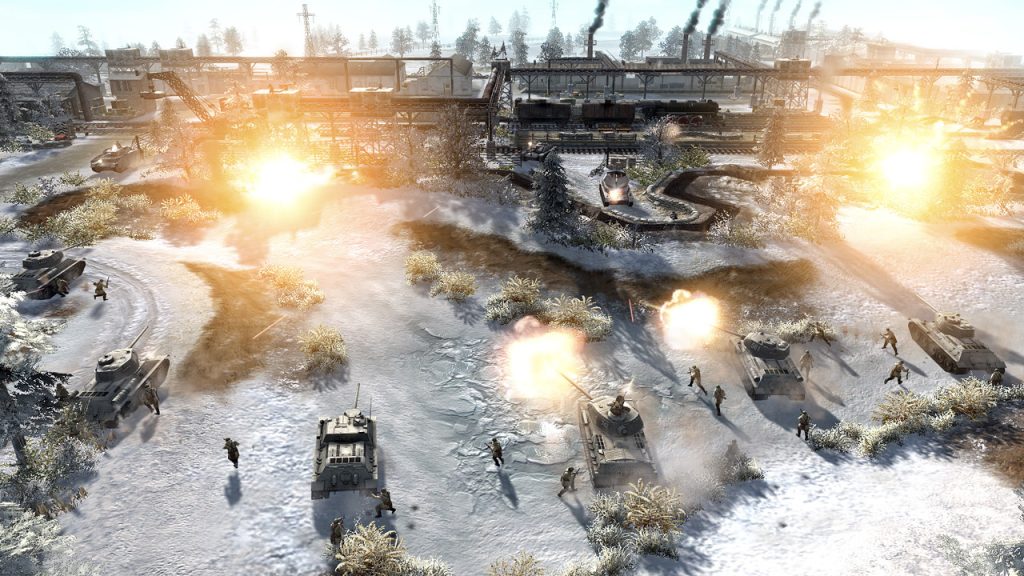
TL;DR: Men of War Assault Squad 2 co op mission setup starts with a supported skirmish and matching game content. Have one player create the intended lobby, review mission and rules together, join the correct team, and divide control responsibilities before the battle begins.
The official Steam description lists co-op skirmish support. A successful setup also needs agreement on the mission, active content and who will control which parts of the force. Getting into the same room is only the first step in creating a playable cooperative session.

This guide uses the official game description and the official release-era manual, especially its multiplayer lobby and ally-transfer instructions. It does not claim that every campaign, DLC or Workshop mission supports the same player count or session behavior.
On this page
Men of War Assault Squad 2 co op mission setup: choose the content
Choose a skirmish or other mission explicitly intended for cooperative play in the content you are using. The store advertises eight-player skirmish co-op, but that product-level feature does not mean every downloaded or additional mission supports an identical session.
Agree on the game build and active content before creating the lobby. Matching mods and required DLC are practical compatibility checks; the specific requirements depend on the selected mission. Read its description rather than assuming one player owning the base game satisfies every custom-content requirement.
Start with a simple supported mission when setting up a group for the first time. Once the base session works, add the custom content you want deliberately. This is a troubleshooting recommendation, not a claim that Workshop content always causes problems.
Agree on difficulty and the purpose of the session. A relaxed learning mission and a demanding coordinated attempt need different expectations about pace, unit transfers and restarts. Making that decision early avoids a lobby that loads correctly but produces a frustrating battle.
Have one player create and configure the lobby
Choose a host who will manage the setup decisions. The manual describes creating a new multiplayer game, selecting game type, map and player limit, and optionally adding a password. Use the selected mission and supported mode rather than applying those generic options to content that has different restrictions.
Review available settings together. The manual lists reinforcement settings and other rules among host options and explains that other players cannot change the host’s selected settings after joining. Make changes before everyone is ready.
Read the selected mode’s information. The manual describes an Info button for a short rules overview. If the group expected cooperative skirmish and the lobby is configured for a different mode, fix that mismatch before starting.
If you use a password, give it to the invited players through your normal communication channel. Check that everyone joins the intended room and mission, especially when several similarly named lobbies are visible.
Join the intended side and confirm readiness
Use the game’s available joining or friend-invite path for the session. The Steam description lists friend invites, while the manual describes selecting an existing server and connecting. Confirm the room identity rather than repeatedly joining a similarly named entry.
Check the displayed team and player arrangement. The manual’s general multiplayer instructions use team selection and a Ready state. In a cooperative mission, use the side and player slots appropriate to that mission rather than assuming every setup presents identical labels.
Before readying, verify that each player sees the intended content and settings. If someone lacks the map, receives a mismatch message or cannot enter the slot, resolve that issue before the host begins the session.
Avoid treating a connection failure as proof that one specific network option is broken. The manual’s networking section is old, and modern connection behavior can differ. Record the exact error and whether the problem occurs with the same players in a simple supported session.

Divide fronts and unit responsibilities
Assign jobs by what each player can monitor. One can manage an infantry approach while another controls the supporting gun or vehicle, but the division should keep every important unit with an identifiable owner.
Do not have every player focus on the same dramatic tank action while the objective and ammunition supply remain unattended. Co-op helps when control responsibilities cover different tasks, not merely when more people watch the same unit.
Agree on movement and support before crossing an exposed approach. Tell the support player which position stops the infantry and what the next covered destination is. Give the infantry player time to respond when support fire changes the situation.
The manual documents giving selected units to an ally through the relevant interface button. Use this when another player can manage the unit’s task better, then confirm who controls it. A transfer should include the unit’s need for ammunition, repair or a useful destination.
Check selection before transferring. If several support and assault units stand together, a broad selection can hand over more of the force than intended. Transfer the units with the specific job you agreed on.
Coordinate supplies and recovery
Give inventory work an owner when a shortage affects the shared plan. One player can manage the supply trip while another watches the front, but the scavenger still needs a protected source and compatible supplies.
Keep the destination clear. Infantry ammunition, shells for a vehicle and repair equipment are different inventory tasks. The manual documents individual inventories and compatible vehicle ammunition transfers; supplies sitting on a soldier do not prove that the supported weapon is serviced.
Vehicle recovery needs a shared decision. Check component damage, fuel and crew before sending someone outside. The manual’s vehicle Repair command sends a crew member out to work, which can create an exposed soldier that another player must protect.
Decide whether recovering the vehicle fits the objective. A repair attempt behind a held position is different from work at a hull still covered by an enemy gun. Coordinate the missing tactical condition instead of repeatedly sending new soldiers into the same exposed site.
Troubleshoot the session without changing everything at once
For a joining problem, compare the actual mission, game content and error shown by the affected player. Test the same group in a straightforward supported setup before adding uncertain variables. Change one relevant condition at a time so the result tells you something.
For a control problem inside the mission, inspect selection and unit ownership. If a player cannot issue orders to a particular unit, first confirm that it belongs to that player or has been transferred as intended.
For a pacing problem, revisit responsibilities. If the supporting player spends most of the battle on inventory work, redistribute a task or reduce the complexity of the force. The technical lobby can be correct while the cooperative workflow needs adjustment.
Use the game hub for the mechanics each player manages. For the next session, agree on content, rules and unit roles before anyone presses Ready.
FAQ
Does the game support cooperative skirmishes?
The official Steam description advertises eight-player co-op skirmishes. Check the selected mission and content requirements rather than assuming every additional mission supports the same arrangement.
Must all players use the same mods?
Align the content required by the selected mission and read its compatibility instructions. For troubleshooting, begin with a supported simple setup and add the intended custom content deliberately.
Can you give units to another co-op player?
The manual documents transferring selected units to an ally. Confirm control and explain the unit’s task and shortages as part of the handoff.
Who changes the lobby settings?
The manual assigns configuration to the host. Review the mission and rules together before readying and starting the match.
Sources and further reading
Keep exploring
Men of War Assault Squad 2 vs Steel Division 2: units or battlegroups?
Choose Assault Squad 2 for direct control and varied WWII skirmishes; choose Steel Division 2 for battlegroup preparation and battalion-level campaign decisions.
Company of Heroes 2 vs Men of War Assault Squad 2: squads or direct control?
Company of Heroes 2 vs Men of War Assault Squad 2: compare cover and combined arms with direct soldier control, skirmishes and the right game package.
Men of War Assault Squad 2 vs Gates of Hell Ostfront: missions or Conquest?
Men of War Assault Squad 2 vs Gates of Hell Ostfront: compare varied skirmish missions, direct-control views and Conquest army development.