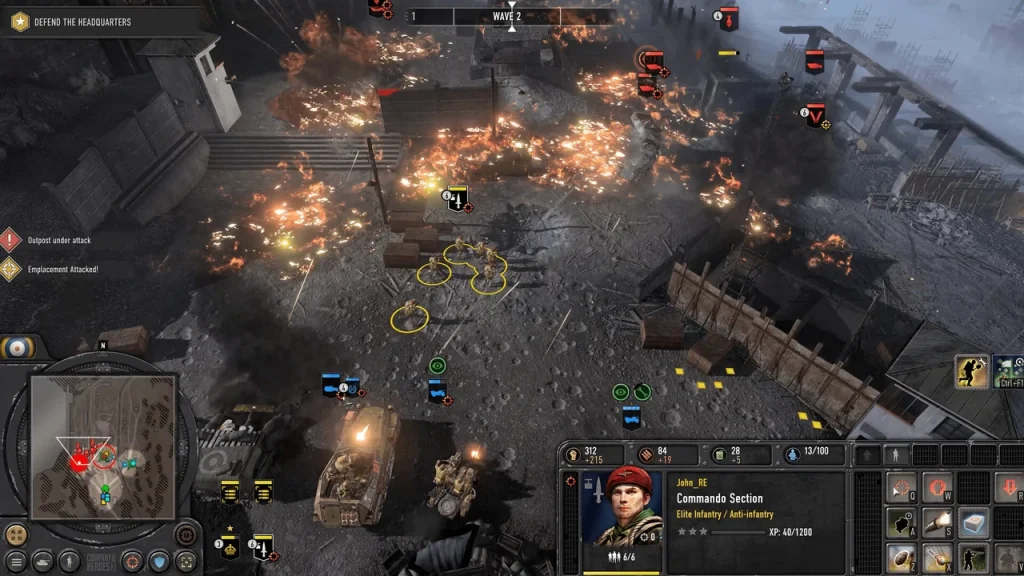
TL;DR: Read the Company of Heroes 3 Italian campaign map in layers: the campaign objective, selected company’s condition, territory ownership, resource income and available actions. Check the resulting position before ending a turn. Keep a recognizable save before experimenting with a new route or territory upgrade.
Quick answer: Italy combines a dynamic strategic map with individual real-time missions. The strategic layer manages companies, territory and campaign resources; the mission layer manages squads and immediate objectives. Mission Select can launch a particular mission, but it is a different entry point from continuing your campaign-map save.

This guide teaches the interface and a repeatable review process. It does not give a tested shortest campaign route. Relic’s official 3.0 update notes describe substantial campaign changes, including territory income, exclusive upgrades and more active enemy attack waves. The official Steam description confirms the Dynamic Campaign Map and optional Full Tactical Pause for single-player action. Read the installed version’s tooltips when a cost or available action differs.
On this page
Company of Heroes 3 Italian campaign map: six interface steps
1. Open the campaign state you intend to continue
Use the campaign section to start or resume Italy, then inspect the save information before confirming a load. Check the campaign name, progress and recorded time so an older experiment does not become the session you accidentally continue.
The 3.0 Mission Select screen groups Italy’s 28 main missions separately from North Africa. That list is useful for finding a mission, but its existence does not make every mission a separate campaign-map save. Decide whether your goal is continuing the strategic campaign or practicing one mission.
Once loaded, take a moment to identify the current objective and selected object. A camera position near an interesting town is not evidence that the town is the next required campaign objective.
2. Read the selected company’s information
Select one company and inspect its condition, movement and available actions. The strategic company is the object you are managing here; the squads inside a real-time mission will have a different set of controls.
Read the displayed limits before assuming a company can perform another action. A company may have reached a useful location without retaining the movement or action needed for your next intended choice. Selection information explains that distinction more clearly than repeatedly clicking the destination.
Inspect available company upgrades separately. An upgrade purchase changes that company’s development; it does not automatically complete a territory upgrade or launch a mission. Name the result you expect before committing campaign resources.
3. Inspect territory and landmarks before choosing a route
Select the relevant territory or location and read its ownership, type and options. Ports, hospitals and resource locations perform different campaign functions. A location’s position on the map alone does not explain which menu or service it provides.
Relic’s 3.0 notes describe a readability pass that increases contrast around important landmarks. They also distinguish darker forests that slow movement from background trees that do not affect play. Use these visual cues alongside the actual movement preview rather than judging travel from the shortest straight line.
Choose a modest next destination for the exercise. Preview the move and inspect the resulting position before adding another action. This lets you learn how the interface communicates a legal route without committing several companies to an assumption you have not checked.
4. Review income and the next purchase together
The 3.0 campaign economy puts more emphasis on capturing and upgrading territories. Most missions now reward skill points rather than a general resource payout, with specific exceptions documented in the update. Do not assume that completing any convenient battle funds every next purchase.
The notes also separate the resources used by major campaign actions: companies, ships and planes use manpower; property, ship and plane abilities use munitions; building and town upgrades use fuel. Read the selected action’s actual tooltip before spending, particularly if your installed version changes these rules.
For this exercise, identify one planned purchase and its resource. Compare it with the displayed income and reserve. A large manpower balance does not automatically pay for a fuel-funded territory upgrade.
5. Compare the territory’s exclusive upgrade choices
Select a controlled location that offers an upgrade and inspect both alternatives. The 3.0 notes describe tiered towns and a broad set of mutually exclusive upgrade choices. Buying one is therefore a choice about that location’s function, rather than a checklist requiring every icon.
A fuel location can offer an income-oriented improvement or a different local service, depending on its tier. Read both descriptions and connect the selected effect with the next campaign need. Avoid choosing solely because a familiar word appeared in an older guide.
Before confirming, review the fuel reserve and the effect you will forgo. This makes the tradeoff visible. If you cannot explain why this location needs the chosen function now, leave the decision open until the campaign position makes it clearer.
For a concrete menu example, the 3.0 notes list Requisition Experienced Companies and Seaport Command Logistics as tier-one seaport alternatives. One affects requisitioned companies’ starting development; the other affects population capacity. Read the selected seaport’s own description and decide which result your campaign currently needs. A choice that improves future requisitions is not the same service as expanding capacity for the force you can support. Keep the town-upgrade cost separate from the manpower required to requisition a company afterward.
6. Save and review before ending the turn
Inspect the available save controls and create a recognizable manual save when the game permits it. Include enough context in the name to distinguish a route experiment from the campaign you intend to continue. Check that the save entry appears before treating it as available.
Then review company positions, unfinished decisions and the next resource requirement. Ending the turn advances the strategic state; it is a meaningful action rather than a convenient way to dismiss a menu you have not understood.
Relic’s update describes enemy dynamic attack waves appearing more frequently and from different directions. Review the changed map after the turn resolves. Do not assume that a previously quiet area remains unchanged because your own company completed its planned move.
Keep strategic and mission controls separate
Opening a real-time mission changes the questions the interface answers. The strategic layer shows a company and campaign position. The tactical layer shows individual squads, local objectives and production controls. Progress in one layer should not be inferred from a similar icon in the other.
The optional Full Tactical Pause lets you control the pacing of single-player action. Use it to read the tactical interface if needed, then return to the mission’s actual objective. It does not replace reviewing the campaign state after the mission ends.
The beginner guide explains surrounding squad and production controls. The North African campaign menu guide covers the separate operation and Mission Select category. Keep your notes labeled by the mode you were using, especially when practicing missions outside a campaign continuation.

Practice case: a victory does not fund the next upgrade
Imagine you return from a mission and expect enough resources for a town upgrade. The upgrade remains unavailable, although the mission completed and your company received development progress.
Read the town’s upgrade cost and the current campaign resource balance. Under the 3.0 economy, most mission completions do not provide the general resource reward an older walkthrough may imply. Skill points and fuel are different parts of the campaign’s progression.
Next, inspect the territories contributing income and the alternatives on the selected town. Decide whether to wait for the relevant income, choose a different affordable action or revise the campaign plan. This exercise does not prescribe a particular town-capture route.
After another turn, check the balance again before purchasing. Record the missing resource and the action that changed its availability. The useful lesson is understanding the campaign economy, rather than repeating a mission because you assumed all victories have the same reward.
Save management and returning after an update
When returning to a campaign, load the intended entry and inspect the strategic state before making a new commitment. Verify the objective, company condition and territory options. A familiar map can contain different tooltips after an update.
The 3.0 notes include fixes involving older campaign-map saves and mission save/load indicators. They also document changes to campaign flow and town functions. Those fixes are reasons to inspect the resumed state; they do not establish that every possible older save is free of problems.
If you encounter a reproducible issue, retain the save and record the version, mission or location, and action that triggers it. Use Relic’s support site for a report. A clear save-state description is more useful than overwriting the only example while trying unrelated changes.
Troubleshoot a confusing campaign screen
The expected company controls are missing. Check the selected object. A town, company and mission pane provide different actions, so selecting the right object is the first correction.
A destination looks nearby but movement is unavailable. Inspect the company’s remaining movement and the displayed route. Visual distance is not the complete requirement for an action.
A town upgrade remains unavailable. Read ownership, tier, resource cost and the exclusive-choice state. Having sufficient resources does not undo a choice already made at that location.
The mission list does not show the strategic map. Check whether you opened Mission Select. Return to the campaign continuation route when your goal is restoring the wider campaign state.
The map changes after a turn. Review newly visible events and enemy activity before repeating the previous plan. The 3.0 campaign was specifically changed to make the opponent more active.


Frequently asked questions
Is the Italian campaign a fixed list of missions?
It has main missions within a dynamic strategic campaign. The 3.0 Mission Select category lists 28 main missions, but that count does not describe every campaign-map interaction.
Can I buy both territory upgrades?
The 3.0 notes describe mutually exclusive choices at most towns. Read the selected location’s available choices before purchasing.
Does Mission Select continue my campaign save?
Treat it as a separate mission entry point. Choose the campaign load or resume route when you intend to continue the strategic map state.
What should I practice next?
Complete one map review, deliberate action and turn transition, then verify the resulting state. Use the Company of Heroes 3 hub to choose the relevant production or mode guide.
Sources and further reading
Keep exploring

Games Like Company of Heroes 3: three different tactical choices
Choose COH2 for familiar squad tactics, Gates of Hell for direct unit control, or Steel Division 2 for division decks and Army General.
Company of Heroes 3 Mortar Tactics: 7 Practical Decisions
Use mortar fire to change a defended position, choose damage or smoke by the task, and move the supported army while the opportunity exists.
Company of Heroes 3 Battlegroup Selection: 7 Useful Decisions
Choose a battlegroup to supply a specific capability, then match its unlock path and spending to the battlefield problem you observed.