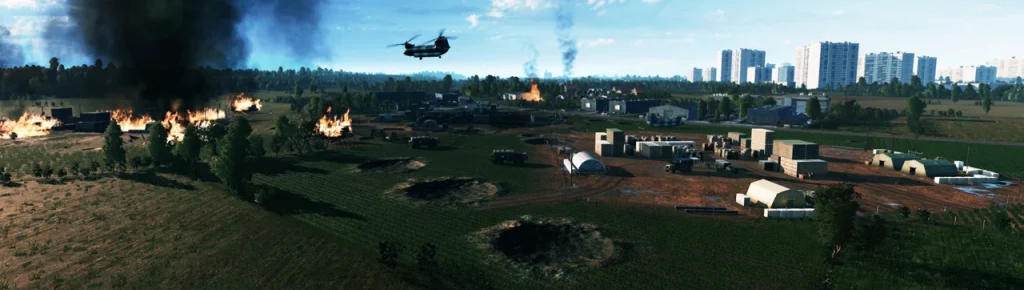
TL;DR: For WARNO supply logistics, bring actual supply units, keep them on a protected route, and replenish the ammunition, fuel or repair state needed by the units doing your next important job. Use a FOB as a depot when the mode and current setup allow it, and use Auto Supply with attention to where the supply unit moves. A large capacity value is useful only if the source survives and reaches the relevant recipient.
Practical goal: Maintain a working supply chain, prioritize the next game task, and diagnose why an intended recipient is not being replenished.

Checked November 9, 2026. This is not a hands-on test or a current competitive tier list. The gameplay recommendations below use selected official WARNO descriptions and dated update notes. Historical examples illustrate mechanics and named equipment; use the installed card for current values.
On this page
WARNO Supply Logistics: choose the next action
| Game situation | Recommended action | Check before committing |
|---|---|---|
| Important weapon has little ammunition | Bring a supplied source to a protected recipient | Relevant weapon, source capacity and recipient state |
| Front has moved beyond the depot | Use mobile supply for the supported group | Route, current contact information and source safety |
| Auto Supply moves toward danger | Take control and choose a safer task | Actual selected order and destination |
| Supply seems inactive | Separate capacity, recipient need and command state | Exact source, recipient and installed version |
1. Buy supply for the units that need to keep working
Start by identifying which units you expect to use repeatedly. Artillery, active ground weapons and other resource-consuming units can need continued ammunition, fuel or repair support. Include actual supply cards in the battlegroup rather than assuming every truck or helicopter in the transport list carries supplies.
WARNO’s official description places battlegroups under divisions and brigades. Select the logistical options your formation provides and compare them with the group they will support. A catalog-wide list is not an unrestricted set of supply choices for every deck.
The Marine Division preview describes supply helicopters within a named logistical roster. That is a dated example of the role being specified, not evidence that every similar helicopter is a supply source. Keep the exact selected entry and its current capacity visible while choosing.
For a beginner deck, prefer a supply plan you can understand and control. Assign a mobile source to a group with a continuing job instead of spreading supply units around without recipients. The exact quantity depends on mode, points, card options and expected consumption; this guide does not invent one permanent optimal ratio.

2. Prioritize the resource needed for the next useful action
The developer’s FOB explanation describes health repair, ammunition and fuel separately. Use those distinctions to decide what the supported unit actually needs. A tank with little relevant gun ammunition, a damaged unit and a vehicle short of fuel present different reasons to seek supply.
Prioritize the unit whose restored resource enables your next important game action, while considering whether you can bring it to supply safely. Keeping a relevant supporting weapon active may matter more than replenishing an idle unit elsewhere. This is a task-based recommendation, not a claim about an automatic current priority formula.
Check the source’s remaining capacity and the recipient’s specific resource. A full-looking source icon does not prove the intended weapon received ammunition. Conversely, one recipient with rounds remaining does not prove every unit in the group is ready for the next engagement.
Do not confuse vehicle health with supply capacity. The v188908 patch increased health points on named MLVW SUPPLY and M35 SUPPLY entries from five to eight at that release. Those historical figures concern durability, not an increase from five to eight ammunition loads or a current capacity recommendation.
3. Use the FOB as a depot and protect its value
When the selected mode and current setup provide a FOB, treat it as a supply depot with its own placement and protection decision. Consider how mobile supply and returning units will reach it, and whether that access remains connected to the groups you intend to sustain.
The February 2023 developer preview describes FOB placement in the initial deployment phase and its ability to resupply nearby units. It also describes destruction and capture risk. Keep that source date and preview context when using the example; check the installed setup rather than assuming every scenario allows the same purchase.
A practical depot position should support your game plan without requiring fragile supply units to repeatedly cross a contested approach. Use current reconnaissance and available friendly units to judge the connection. Capacity alone does not make a depot useful if its access becomes unsafe or disconnected from the supported group.
Do not leave the FOB as a forgotten purchase after deployment. Check whether the front has moved, whether the route still works and whether threats now approach the depot. A source that can be destroyed or captured requires attention alongside the units spending its resources.
4. Move mobile supply along a route you have checked
Use a mobile source to connect the depot or another available source with the supported units. Select a destination where the recipient can receive supply without forcing the supply vehicle into the same dangerous position it just left. Keeping the chain usable is more important than drawing the shortest route on the map.
Inspect current friendly information along the approach, then watch the actual movement. A route that was quiet during opening deployment can change as the battle develops. Do not rely on a remembered safe road when the supported group has moved into another part of the map.
Keep the supply source and the combat unit as separate jobs. If the group pushes forward, decide whether supply should follow, wait at a protected location or serve another recipient. Issuing one broad movement order can pull the resource source into an engagement it does not need to join.
Where possible, bring a depleted combat unit back toward a checked supply location rather than exposing the source to meet it. The better choice depends on the actual game situation and the unit’s state. This guide recommends comparing those options; it does not claim one route is safe on every map.

5. Use Auto Supply as assistance and watch its destination
The v80353 Bessière notes introduced Auto Supply as a Smart Order. At that release, its description included moving to friendly units under a named ammunition threshold or suffering a critical hit. These are dated command details, not a promise that every current mode uses a permanently unchanged trigger.
When the selected supply unit offers Auto Supply, it can reduce repeated manual attention to recipients. Still watch which unit it chooses and where it moves. An automated task does not understand your full next objective or guarantee the route matches the protection you intended.
If it heads toward an exposed recipient, take control and choose a safer supply task or bring the recipient back. If it appears inactive, check the actual selected order, current source capacity and recipient state before deciding it is broken. The command and the source’s resource data are separate conditions.
The Patch 6 notes corrected shortcuts invoking Smart Orders unavailable to the selected unit. Therefore, inspect the present menu instead of assuming every supply-looking object offers every command. The helpful question is whether this particular source has the relevant order and can accomplish the intended task now.

6. Keep aircraft, ground sources and transports distinct
A supply helicopter and an ordinary helicopter transport can share a recognizable model family while having different selected roles. Read the full card before assigning either to a logistics job. A passenger transport does not become a resource source merely because it delivered a squad near another unit.
The v183203 notes fixed supply priority so a helicopter could resupply a ground supply unit when both had the same capacity. This is a specific dated source-to-source interaction. It does not mean every aircraft can replenish every vehicle, or that all recipient priorities follow one simple capacity ranking.
For a working chain, identify the actual source, the intermediate ground source if used, and the final unit whose resource needs restoring. Inspect each link instead of assuming a nearby helicopter completes the whole process automatically. A source can be present while one part of the intended chain remains inactive.
Keep selling behavior separate from supply use. The v184174 hotfix addressed units automatically selling themselves with the Autoresale rule. If a unit disappears or behaves unexpectedly, preserve the selected rule and observed state rather than using a supply-capacity explanation to guess at a different command problem.
7. Troubleshoot the chain before purchasing more supply
If a recipient is not being replenished, confirm the exact supply source and intended recipient first. Then inspect source capacity, the relevant recipient resource, proximity or currently displayed conditions, and the selected command. More sources will not fix the wrong selected role or a route that never reaches its destination.
The v160324 update corrected particular resupply failures under conditions the notes did not fully enumerate. Preserve that limitation. The historical fix is useful context for a report, but it is not proof that every present supply problem shares one cause.
After resolving the immediate issue, reassess consumption and safety. If the group repeatedly empties the source, increase support according to the actual task. If the source repeatedly gets lost, improve its route or recipient position. These are different problems with different useful changes.
Continue with artillery counter battery, infantry fighting vehicles and the WARNO hub. WARNO supply logistics is a continuing connection between a surviving source and the units whose next important job requires resources.
Sources and further reading
- https://store.steampowered.com/app/1611600/
- https://steamstore-a.akamaihd.net/news/externalpost/steam_community_announcements/5036749277232271511
- https://steamstore-a.akamaihd.net/news/externalpost/steam_community_announcements/1822556746158218
- https://steamstore-a.akamaihd.net/news/externalpost/steam_community_announcements/4606641560243985690
- https://steamstore-a.akamaihd.net/news/externalpost/steam_community_announcements/4247462367448914600
- https://steamstore-a.akamaihd.net/news/externalpost/steam_community_announcements/1825727806706776
- https://steamstore-a.akamaihd.net/news/externalpost/steam_community_announcements/1803527891952965
- https://steamstore-a.akamaihd.net/news/externalpost/steam_community_announcements/1830163047256664
- https://steamstore-a.akamaihd.net/news/externalpost/steam_community_announcements/1826362059923425
- https://steamstore-a.akamaihd.net/news/externalpost/steam_community_announcements/1822556746168512
- https://steamstore-a.akamaihd.net/news/externalpost/steam_community_announcements/4714731755415050273
Keep exploring
WARNO Recon Positioning: observe the fight before you join it
Put recon where it answers the force’s next movement question; preserve a useful view, cover the flank and move it when the front changes.
WARNO Command Unit Placement: capture safely, then use the leader
Bring command behind protection, complete the capture, then relocate or support nearby troops; WARNO does not require permanent parking after capture.
WARNO Division Deck Building: give every card a battlefield job
Build a division deck around an opening and reinforcement plan; cover battlefield jobs before spending cards on optional specialists.